Showing posts with label free software. Show all posts

Wednesday, July 22, 2009

Kate's List of Free Software for Severe Special Education Classrooms

Updated July 23, 2009
  • Access Apps is a collection of free assitive technology softwares
  • Baby Smash is cause and effect software that allows banging on a key, a switch or multiple switches (try the Intellikeys without and overlay)
  • Camera Mouse is head or other body part tracking software that works with a standard web cam (try using reflective tape to increase accuracy)
  • CamSpace is a body part or object tracker (mouse emulator) that works with a standard web cam
  • Choose It Player allows you to run activities made with Choose It Maker on a computer which does not have Choose It Maker installed
  • Classroom Suite Player allows you to run activities made in Classroom Suite on a computer which does not have Classroom Suite installed - note you must be a subscriber to News-2-You and logged in to News-2-You for this to work
  • Click N Type is an onscreen keyboard with many different lay out possibilities (and the option to make your own), there are also options for speech output and scanning
  • Dkey is an onscreen keyboard that acts just like your cell phone, including the word prediction
  • DSpeech is a text-to-speech program which allows multiple methods of saving audio (scroll down on the link)
  • Dwell Click automatically clicks the mouse when you hold the arrow over an item
  • Eagle Eyes Software are free, simple programs which work well with head and eye trackers
  • EdWord is a talking word processor which allows automatic symbolization with symbol sets you convert and install (i.e. Imagine Symbols or Scelera Symbols)
  • Every Day Skills is a program that allows users to create or use pre-made sequences of photos and videos to teach life skills in a switch accessible format
  • eVia Cam is head tracking software that works with a standard web cam
  • FX Software has many different applications including large and extra large cursors and mouse arrows, text-to-speech and more
  • GCompris is early learning and elementary aged software that works with a mouse, mouse emulator or touch screen/interactive white board
  • HELP Read is text-to-speech software
  • Hiyah is Power Point based cause and effect and life skills teaching porgrams
  • Hot Spots allows you to make standard software switch accessible
  • Jim Luther's Assisitive Technology Resources has many applications including a web based AAC software program(which also works offline)
  • Joy2Key allows you to use any commecial game pad or joystick for alternative access
  • Joystick to Mouse allows you to use any commercial joystick for alternative access
  • Kidoz is a safe web browser for children
  • KidThing is a learning platform with books and games
  • KidZui is a safe web browser for kids
  • MiniSebran is early learning software that is great for low vision
  • PHOTOSyms allows you to create communication boards using any photographs or icons you have on your computer
  • Power Reader is a (plain text only) text manipulation and text-to-speech program with multiple controls for maximum benefit, it also has the ability to define a chosen word and show and image of the word
  • Power Talk adds text-to-speech to Power Point
  • Quicks Pics is software to make communication boards
  • Read Please is text-to-speech software
  • Sense Factory is a free alternative to Switch It Maker allowing you to create switch activated videos and activties
  • SEN Switcher is a progressive program to teach switch skills
  • Switch It Player allows you to run activities made with Switch It Maker on a computer which does not have Switch It Maker installed
  • SymVoc is a picture based AAC program
  • Thunder Screen Reader is a screen reader which can be run from a memory stick
  • Touch CD is a cause and effect CD player program
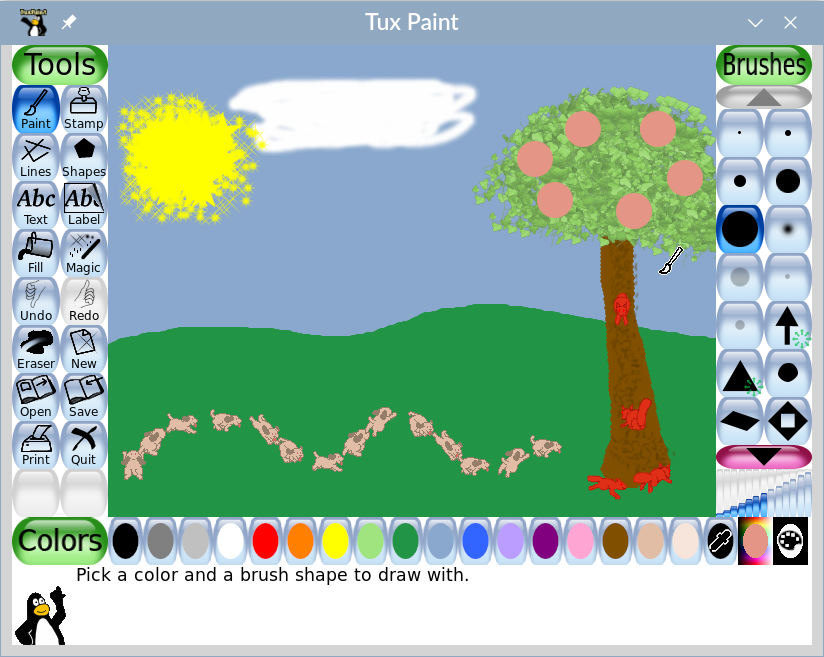
  • Tux Paint is a children's painting program which works well on a Tablet PC or an interactive white board
  • Word Predictor is a word prediction program
  • Word Talk is an add-on for Microsoft Word which provides text-to-speech with highlighting
  • Zac Broswer is an internet browser for kids on the spectrum
See also Fabulous Freebies and OATS Soft for more free AT.

If I missed something let me know and I will update the list.

Monday, November 3, 2008

Everyone is doing it -- writing about and downloading Access Aps


Access Aps is a free set of open source software, like Open Office, and assistive technology softwares.

Here are some of the applications on Access Aps:
You can choose from a full download, a lite download or "pick and choose" to get only what you/your learners need. The Access Aps need to be downloaded, unzipped and then installed on a flash drive to make it portable and usable on any computer. You will need a 2G or bigger flash drive.

Wednesday, September 5, 2007

Online Single Switch Art Software

Instead of lamenting on the worst first day of school I have had in 27 years of first days of school (since I was four). I am going to offer you a post copied wholesale from my pal Barrie over at One Switch.

National Gallery of Art Kids - Jungle Interactive art software screen shot.JUNGLE interactive is one of a number of free on-line art activities from NGAkids. These can work well for artists using a single switch with a little help. In fact, there's even an "Auto Jungle" button, which you can click on to create an instant jungle. Good creative fun, if a little slow to load initially.


Thursday, April 12, 2007

Sue Center AAC and More Free Software

I never cease to be amazed that after 30, 50, 75, 100, 120 posts to this blog there are still amazing, free resources out there for individuals with special needs and those who work with them to improve their quality of life.

So many special needs companies create products and increase the price to unaffordable levels to make a huge profit, or worse, place mainstream items into their catalogs and increasing the price by 10% or more, because now it is being marketed "for the disabled". It is refreshing that places like Oatsoft and the Sue Center exist.

Sue Center offers a complete text based AAC system that is compatible with most alternative mice such as head mice, eye trackers, touch screens, joysticks, trackballs and other mouse emulators (even mouse emulating switch programs like CrossScanner).

The basic idea of Sue Center is that instead of using software programs to access standard computer programs one software program would replace the access software and the standard software.

Thus Sue Center includes e-mail, a limited web browser, a digital photo program, environmental controls (x10), e-book, word processing with word prediction, a dictionary, a calculator, an alarm clock and more. A visit to the site and a peek at the slide show, film or documentation will show you all it can do. Sue Center is also very clear about what it cannot do (see limitations on the site). Finally, Sue Center is configurable, so you can set it how to work best for your student.

So, if you have a student capable of text based AAC with a mouse emulator/alternate input device, this might be a great, low cost program to use for evaluation, to start with, to have as a back up or to install on a laptop or tablet PC as a permanent AAC solution.

Wednesday, April 11, 2007

Wordzee Worksheet (and Communication Board) Designer


Wordzee is a free online program to make picture (non-standardized symbols, clip art and photos) based worksheets and communication boards. There are 16 different layouts to choose from including 4,6 or 8 images in boxes or not, with blank lines for labeling activities, arranged for matching activities, fill in the blank with a word bank or matching pictures to text. The software takes a few trials to get used to, don't get frustrated by error messages at first.

In Wordzee first use the search box on the left to choose images. Then assign pictures to boxes, title your worksheet and, finally, chose a layout. This is a quick, free, online alternative to using Boardmaker or similar software when you are in a pinch (i.e. no time to load up software, you don't have Boardmaker, you don't have your Boardmaker disc). Keep in mind you do loose the versatility, broad range of images and standardized symbol system when you use this instead of Boardmaker, but there is definitely a time and a place for Wordzee.

Tuesday, April 10, 2007

Four Free Special Needs Games

Watling View School (UK) has four free games to download aimed at students learning basic concepts. Some are at a basic cause and effect level others at a pre-K level. All are touchscreen, interactive white board and mouse accessible. Check 'em out.

Saturday, March 3, 2007

Cool Timer and Online Dice


When I think of all the things we use a timer for in my class room (stander use, bathroom reminders, cooking and science activities and behavioral interventions to name a few) and the sheer number of timers I have purchased only to have them break in the past few years I could become quite overwhelmed.

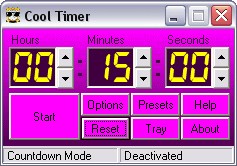
Now it is Cool Timer to the rescue! Cool Timer is a free, downloadable program that runs on a computer (or computer based communication device?) and counts down time. What makes it cool is instead of a standard issue beeping you set it to play any .wav or MP3 on the computer. The minute I get to school on Monday I am downloading it.

Harmony Hollow, the makers of Cool Timer, offer three other teacher tools to check out as well. Outside of Cool Timer, I think The Hat is another useful program for the special needs classroom. The hat is a randomizer designed to make deciding things like who goes first easier. I bet you could load in other things you would like to randomize too, like numbers to make virtual dice (put the mouse cursor over the start or stop button and use a switch to activate to adapt).

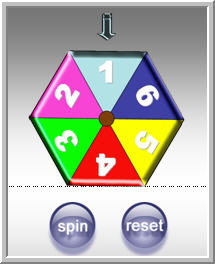
Of course there is always the Arcess Online Switch Dice and Number Spinner, if you want easier virtual dice. If you have Opus Presenter you can download some switch dice. For $19 you can download a Powerpoint Dice Shaker or spinner, plus a randomizer code to install to make your own powerpoint dice and things (or download the watermaked demo), which works fine.

Wednesday, January 24, 2007

Free Simple Single Switch CD Player

For those of us with students not yet ready to scan using a switch, with goals and objectives focusing more on cause and effect, there is a free single switch CD Player that can be downloaded. Simon's CD Player simply starts and stops a CD player on your computer. No whistles or bells, just simple cause and effect training with music.

Tuesday, January 23, 2007

Website of the Day and Amazing Free Software - Don't miss this!


If you take now other advice I give on this blog let it be to check out and download the (free) software at Deafblind.org. This software is definately not just for Deafblind students, I can't think of any classroom for students with moderate to severe disabilities that would not have a use for it. The six pieces of software may save your school or agency thousands of dollars without really sacrificing quality.

I have only managed to play with five of the six of the programs since I discovered them three hours ago, but I am amazed. They are well done, versatile and easy to install and use.

First there is Sense Factory, a simple cause and effect program for one or two switches or the touchscreen. It rivals any simple cause and effect software out there, free or high priced. It also allows you to design your own switch programs akin to Switch It Maker, only about $125 (USD) cheaper. You can download a number of activities as well.

Then there is Everyday Skills, with is another simple cause and effect OR can be used as a quiz style program with switches or touchscreen. Students can watch and hear the sequences of ADLs or anything else you create and answer questions.

Next there is EdWord. This is the clincher. It is a talking word processor, along the lines of Write:Outloud or any other talking word processor, but with a much simpler interface. The uncluttered, clear design is fantastic. Plus you can set the level of options for each user. (The only thing I don't like is it will speak characters or words, but not sentences or paragraphs, but considering the price difference $99 (USD) versus nothing, I think it is worth it.) When you leave the EdWord program, but it is still open the software will act as Microsfot Narrator, reading all sorts of text boxes to you!

But here is where EdWord blows Write:Outloud and similar programs away, it can also be used as a symbol and text or symbol only processor, like Writing with Symbols or Clicker. You can type in text and have symbols appear overhead or you can create grid and make interactive writing activities. And did I mention that it is FREE!

One of the catches is that there are no included symbols. Not to fear that is where Symbol Maker comes in. With a few mouse clicks Symbol Maker transforms those symbol libraries, photograph collections, etc. into the symbols that are integrated into EdWord. Checkout any free symbol set if you don't already have a set of symbols you can convert. (For free symbol sets try: Sclera's Pictograms or Imagine Symbols.)

Be sure to download and make a quick read of the manuals for Symbol Maker and EdWord, because although simple, you do need to follow the directions to get it all working. Using Grid Maker is how you create the Clicker-esque interactive activities, I can't wait to try this feature out more.

Finally I have not tried EdWeb yet. It is a talking web browser which will not only speak web sites, but convert them into symbols.

This is the most amazing free web resource I have found to date for the special needs classroom. I can't even begin to say how impressed I am.

Kudos to Deafblind.org, UMIST and Sense!

Wednesday, January 17, 2007

Website of the Day - Switch in Time Free Activities

Switch in Time, an adaptive software company, has a number of free switch programs on its website. All twelve programs it offers are for Macintosh only and include Bingo Games, a Morning Meeting Program and other activities for the special needs or inclusion classroom.

Friday, December 15, 2006

Web Site of the Day - Tux Paint

Tux Paint is a free, open source, award-winning software program for children. It is a paint/draw program similar to Kid Pix, but with a more user friendly interface. Tools includes brushes, lines, shapes, text, sound effects, "magic" effects and teacher controls. It will print and save creations. Tux Paint runs on Mac OS X, Windows and Linux. Tux4Kids is a support forum, should you need it (which is unlikely).

Tuesday, November 21, 2006

Free Software for Learners with Intensive Special Needs


So you're a teacher on a budget. You serve learners with diverse needs and you wish you had more time to search out free software or to design your own. Here are some leads to free downloads for students with severe, multiple, complex or profound needs.

Pvoice is a free augmentative and alternative communication program. Designed by the father of a little girl with multiple needs it is free to download and run. It is considered open source software and those who know how to program in Perl are welcome to contribute to it.

A couple of places have free downloads for use with switches. The RJCooper company has two switch accessible arcade style game available for free download. Inclusive Technology in the UK also has some switch programs for free download. Another free switch program is The Great Fish Race which allows two switch users to compete. One Switch in the UK has more than 70 games for download for single switch use. Many are quite difficult so try them before you let your students at 'em.

Some touchscreen activities can be found online or for download as well. The Jackson Pollack painting site is made to emulate action painting and works beautifully with a touchscreen. Magic Touch has links to dozens of free or free demo games that work with touchscreens. I haven't tried this one yet, but e-home games has a download of classic arcade games for touchscreens.

Sarah Greenland has three games for download: a kaleidescope for switches, a mouse trainer and a touchscreen maze. SEN Teacher (SEN=Special Education Needs) has two dozen programs free for download. (Plus printables and more.) Many of the programs on SEN Teacher are switch, touchscreen or even camera accessible. Of particular interest may be SEN Switcher, free cause and effect, switch or touchwindow accessible programs available on line or for download.

Two British schools have some of the most amazing resources I've ever seen. Priory Woods has switch activated flash videos, talking story books and learning software. I use this website constantly. I would love to go spend a year at Priory Woods and learn all they have to offer. You should also check out their Kids Only Portal. The other school is Kingsbury School, much of the software there is available for use online.

Another unbelievable freebie is Click'n'Type, an onscreen keyboard that works via touchscreen, mouse and even single switch! This program even has word prediction. Considering what you pay for other programs like this Click'n'Type is a good way to do before you ask your school or agency to spend money on a similar program.

Another utility that is available is Philip's Large Colored Cursors.

If you are feeling motivated you can peruse the OATS Repository of open source assistive technology for more downloads.

Contact Me at:

Contact Me at:

Visit our advertisers:

Fujitsu Computer Systems Corporation SpinLife.com, LLC Try Nick Jr. Boost FREE for 7 Days LabelDaddy.com ... Label the things you love !! Build-A-Bear HearthSong - Toys Outlet